Record Video in Background
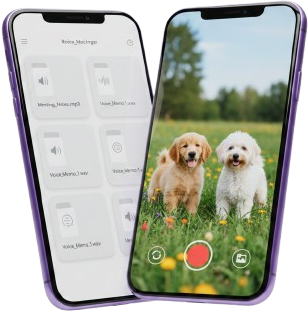
Easy Video Recorder lets you record video while using other apps. Optimized for performance, privacy, and fast uploads.

Privacy Policy
1. INTRODUCTION
This Privacy Policy ("Policy") applies to the Easy Video Recorder mobile application (the "App"). We are committed to protecting your privacy and ensuring transparent communication about how we collect, use, and handle your information.
2. INFORMATION WE COLLECT
2.1 Video Recordings
- The App records video content when activated by you. These recordings are stored locally on your device unless you choose to upload them.
- Video metadata including recording date, time, duration, and quality settings are collected and stored locally.
2.2 Camera and Microphone Access
- The App requests permission to access your device's camera and microphone to enable video recording functionality.
- These permissions are only used when you actively initiate recording.
2.3 Device Information
- We collect technical information about your device including device type, operating system version, and app version for troubleshooting and performance optimization purposes.
2.4 User Preferences
- The App stores user preferences including app lock settings, PIN for app security, recording quality preferences, and video storage location preferences.
- All such preferences are stored locally on your device.
2.5 Cloud Storage Information
- If you choose to use cloud backup or cloud storage features integrated with third-party services (such as Google Drive and Dropbox), information necessary to facilitate this connection may be collected.
- You maintain full control over what content is uploaded to cloud services.
2.6 Android Accessibility Service API
On Android, the App may offer features that use the system Accessibility Service API. You choose whether to enable this in your device's accessibility settings; it is not required for basic recording inside the App.
- Purpose. Accessibility capabilities are used so you can start recording by pressing the volume up key three times from anywhere on the device (including while other apps are open), without relying on the in-app record button. This shortcut is optional and requires enabling the App's accessibility service. We do not use the Accessibility Service API for advertising, analytics unrelated to app stability, or to build advertising profiles.
- Data handling. We use this access only to detect the volume-up key sequence you choose to use as a recording trigger. We do not use accessibility access to read, store, or transmit the content of your screen, messages, passwords, or personal data from other apps for unrelated purposes. Any technical signals processed through this API are used solely to deliver the stated shortcut and are handled in line with this Policy.
- Control. You can turn off the App's accessibility service at any time in Android Settings; the volume-up triple-press shortcut will stop working until you enable it again, and you can still start recording from within the App.
3. HOW WE USE YOUR INFORMATION
3.1 Primary Uses
- Enable video recording and storage functionality
- Provide app lock and security features
- Allow you to organize and manage your recordings
- Store your user preferences and settings
- Facilitate cloud backup when you choose to use this feature
3.2 Technical Purposes
- Improve app performance and stability
- Troubleshoot technical issues
- Monitor app crashes and errors
- Enhance user experience
3.3 Non-Commercial Use
The App is designed for personal use only. We do not use your information for marketing, advertising, or commercial purposes without your explicit consent.
3.4 Accessibility Service
If you enable the accessibility service, we use it only to support the volume-up triple-press recording start shortcut described in Section 2.6. We do not sell or share data obtained through accessibility services, and we do not use such access to observe or collect information from other apps beyond what is needed to recognize that key sequence when you use the shortcut.
4. DATA STORAGE AND SECURITY
4.1 Local Storage
- All video recordings and user preferences are stored locally on your device by default.
- We recommend keeping your device software updated and using a secure lock code.
4.2 Cloud Storage
- Cloud services such as Google Drive and Dropbox are governed by their own privacy policies.
- We are not responsible for third-party cloud storage practices.
4.3 App Lock Feature
- The App provides an optional PIN-based lock feature.
- The PIN is stored locally and never transmitted.
- We cannot recover lost PINs.
4.4 Data Protection
The App uses industry-standard security practices. However, no storage or transmission method is 100% secure.
5. THIRD-PARTY SERVICES
- Cloud storage providers such as Google Drive and Dropbox operate under their own policies.
- Analytics (if used) collect anonymized usage information.
6. DATA SHARING AND DISCLOSURE
- We do not sell, rent, or share your videos or personal data.
- Disclosure may occur if required by law.
- Service providers assisting with maintenance may access limited technical data.
7. YOUR RIGHTS AND CHOICES
- You can delete recordings at any time.
- You can modify permissions in device settings.
- You can disable the App's Accessibility Service in Android Settings at any time (see Section 2.6).
- You can uninstall the App to remove locally stored data.
8. RETENTION OF INFORMATION
- Videos remain until deleted by you.
- Preferences remain until the App is uninstalled.
- No automatic deletion is performed.
9. CHILDREN'S PRIVACY
This App is not intended for children under 13. We do not knowingly collect data from children.
10. INTERNATIONAL DATA TRANSFERS
Information may be processed in countries with different data protection laws.
11. CHANGES TO THIS POLICY
We may update this Privacy Policy periodically. Continued use of the App indicates acceptance.
12. CONTACT INFORMATION
13. COMPLIANCE
- General Data Protection Regulation (GDPR)
- California Consumer Privacy Act (CCPA)
- Google Play Privacy Requirements
- Google Play policies for use of the Accessibility Service API, where applicable
- Other applicable privacy laws and regulations
ACKNOWLEDGMENT
By using the Easy Video Recorder App, you agree to this Privacy Policy.